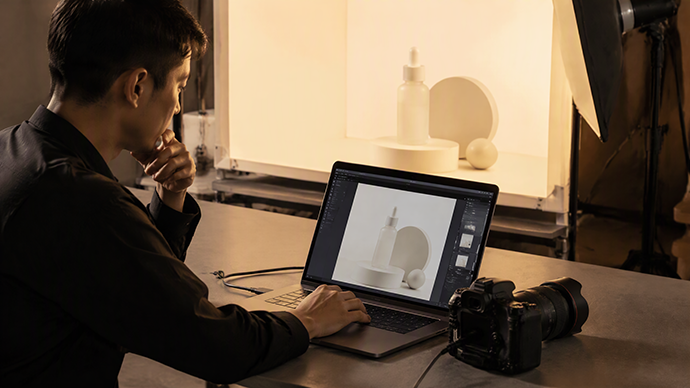
自己从事产品拍照好多年了,基本上佳能,尼康,索尼相机都用过。很多人习惯是拍摄完之后再导进电脑检查,而我喜欢的是联机拍摄,这样可以方便我自己跟客户都及时看到产品拍出来的效果,省得发生拍完之后不满意的情况。
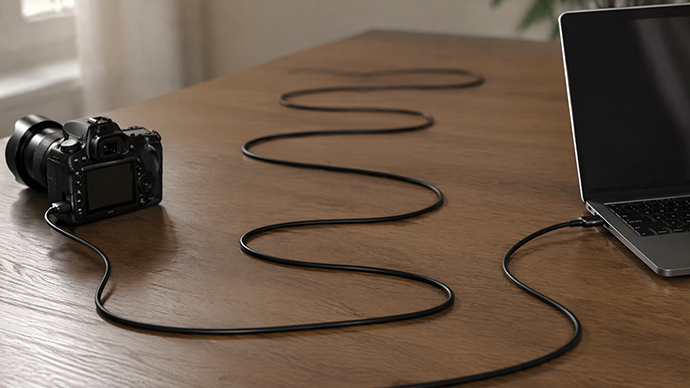
最早是佳能5D3的时候开始使用联机线,使用佳能自己的软件进行联机拍摄,效果很好,基本上是这里联机拍一张,那边电脑就立刻显示出来了,很多客户就喜欢这样的效果,能够立刻看到成片,及时修改角度啥的。这是最好的感觉,唯一的问题就是佳能自带的联机线实在太短,基本都是网上再买来联机线进行联机拍照,一般一根线用一年左右就不能正常使用,而且相机机身上的插口也因为插拔的原因有过好几次损坏,需要每次花300元左右去修,但是目前来说联机拍摄还是主力,联机软件确实不错,使用效果也相当不错。
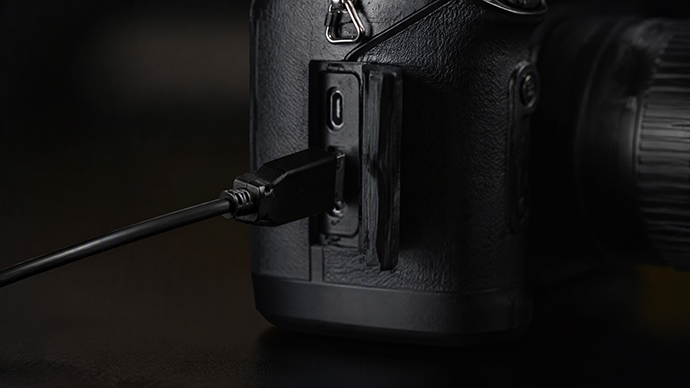
然后是尼康D810,尼康吧,相机还行,但是联机软件不行,因为它不是免费附赠的,要花钱,而且还相当贵,于是就决定把尼康当外出拍照机器使用,回来后再导出,基本上也没出啥大问题;后来师傅告诉我说可以使用lightroom联机拍照,于是试了下,确实可以,但是有两个问题,一个是lightroom确实可以联机拍照,但是传输速度有点儿慢,需要拍完总要等待一会儿才能传到电脑上,我一开始以为是传输线有问题,但是不管长短还是随机线乃至于自购线,速度都不快;另一个问题则是联机线的机身接口,发现可能是比较浅,联机线自身又有一定的重量,所以很难紧密连接,总是会脱落,基本上都需要随时注意才行,相比佳能5D3来说联机拍摄体验感相当不好,所以基本上还都是外出不联机拍照再回来后导入电脑使用。
再就是今年元旦买入的佳能R5 II,跟佳能5d3一样,联机拍摄传输速度没啥问题,当然在棚拍的时候也遇到不少问题,也都一一解决慢慢适应,这个机器给我的惊艳之处主要是视频录制,感觉相当好。这几天来测试无线连接拍照,手机装上软件后联机拍摄传输速度似乎还行,但是Wi-Fi连接到笔记本上传输的话就又相当慢了,比尼康的有线传输速度还要不讲究,虽然说可以无线传输,但是这样的速度是不能让我满意的,看来还得是使用联机线,只不过感觉5米的线也还是不怎么够长,如果需要摆开阵势的大干还得需要8米线才好。
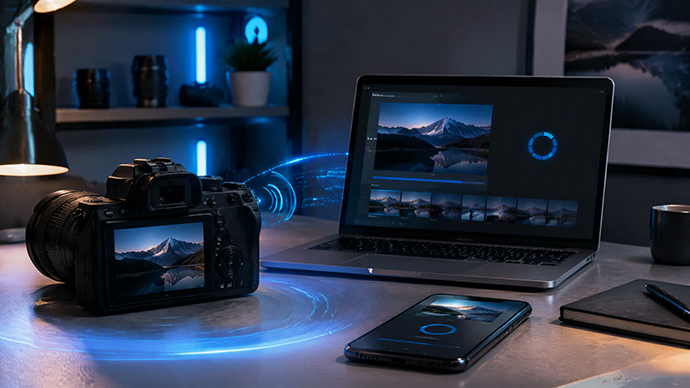
以上,就是我在佳能 5D3、尼康 D810 和佳能 R5 II 三台相机上,对产品联机拍摄的真实感受。说到底,无线传输目前还替代不了那根联机线。
I have been engaged in product photography for many years, and I have basically used cameras from Canon, Nikon, and Sony. Many people are accustomed to importing photos into their computers for inspection after shooting, but I prefer shooting online. This way, both myself and my clients can see the effects of the product photos in a timely manner, avoiding situations where dissatisfaction arises after shooting.
I started using tether cables with the Canon 5D3, using Canon's own software for tethered shooting. The results were excellent. Basically, I could take a photo here and it would immediately appear on the computer there. Many customers liked this effect, as they could instantly see the final image and make adjustments to the angle or anything else in a timely manner. It was the best feeling. The only problem was that the tether cable that came with the Canon camera was too short, so I usually had to buy additional tether cables online for tethered shooting. Typically, a cable would stop working after about a year, and the camera body's port had been damaged several times due to frequent plugging and unplugging, requiring repairs that cost around 300 yuan each time. However, tethered shooting is still my main method at present, and the tether software is indeed good, with quite satisfactory usage results.
Next, there's the Nikon D810. Nikon's camera is decent, but the tethered software is not. It's not free and comes at a considerable cost. So, I decided to use the Nikon as a camera for outdoor photography and export the images later. Basically, there weren't any major issues. Later, my mentor told me that I could use Lightroom for tethered photography, so I gave it a try. It indeed worked, but there were two issues. Firstly, while Lightroom could indeed take tethered photos, the transmission speed was a bit slow. After taking a photo, I had to wait for a while before it could be transferred to the computer. Initially, I thought there was a problem with the transmission cable, but no matter the length, whether it was the random cable or one I purchased, the speed was slow. The other issue was that the body interface for the tethered cable might be relatively shallow. The tethered cable itself had a certain weight, so it was difficult to connect tightly and would often fall off. Basically, I had to pay attention to it all the time. Compared to the Canon 5D3, the tethered shooting experience was quite poor. So, basically, I didn't use tethered photography when going out and would export the images later for computer use.
Next, I'll talk about the Canon R5 II, which I bought on New Year's Day this year. Like the Canon 5d3, there's no issue with the transmission speed when shooting in tethered mode. Of course, I encountered quite a few problems during studio shooting, but I solved them one by one and gradually adapted. What impresses me most about this camera is its video recording, which feels quite good. In recent days, I've been testing wireless tethered shooting. After installing the software on my phone, the transmission speed in tethered shooting seems to be fine. However, when connected to a laptop via Wi-Fi, the transmission speed is quite slow, even worse than Nikon's wired transmission speed. Although wireless transmission is possible, such a speed is not satisfactory to me. It seems that I still need to use a tether cable. However, I feel that a 5-meter cable is not long enough. If I need to set up a large-scale shooting, an 8-meter cable would be better.
The above are my real feelings about wireless tether shooting on three cameras: Canon 5D3, Nikon D810, and Canon R5 II. Ultimately, wireless transmission cannot replace the wired tether at present.


业务咨询请致电:
13486489501
QQ咨询:
16261010